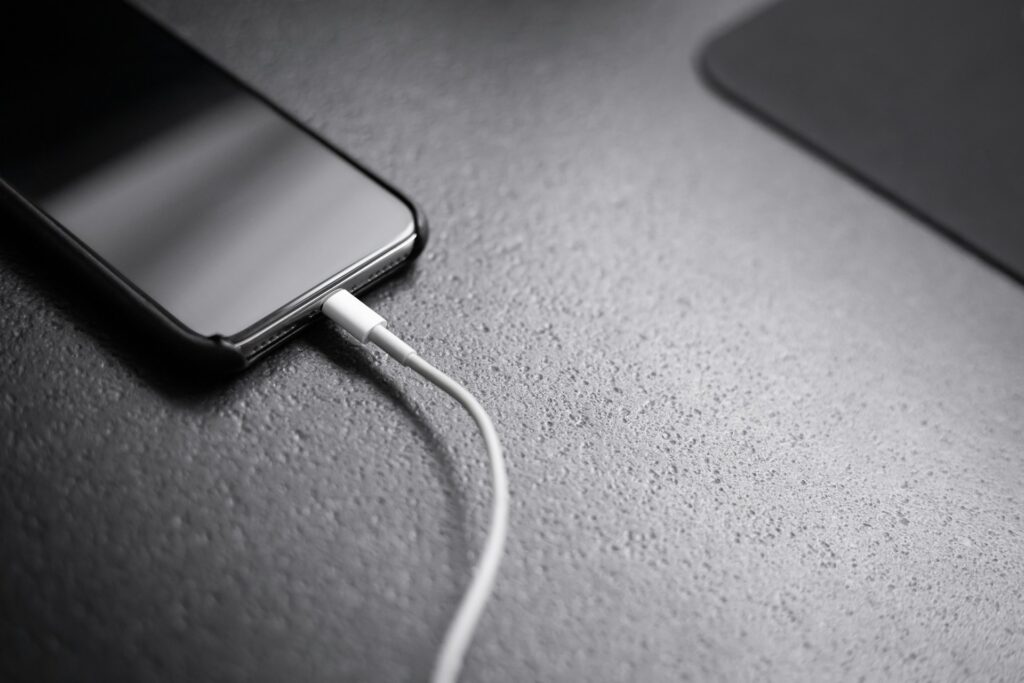
iPhone Battery Health Below 80%: Should You Replace It Now?
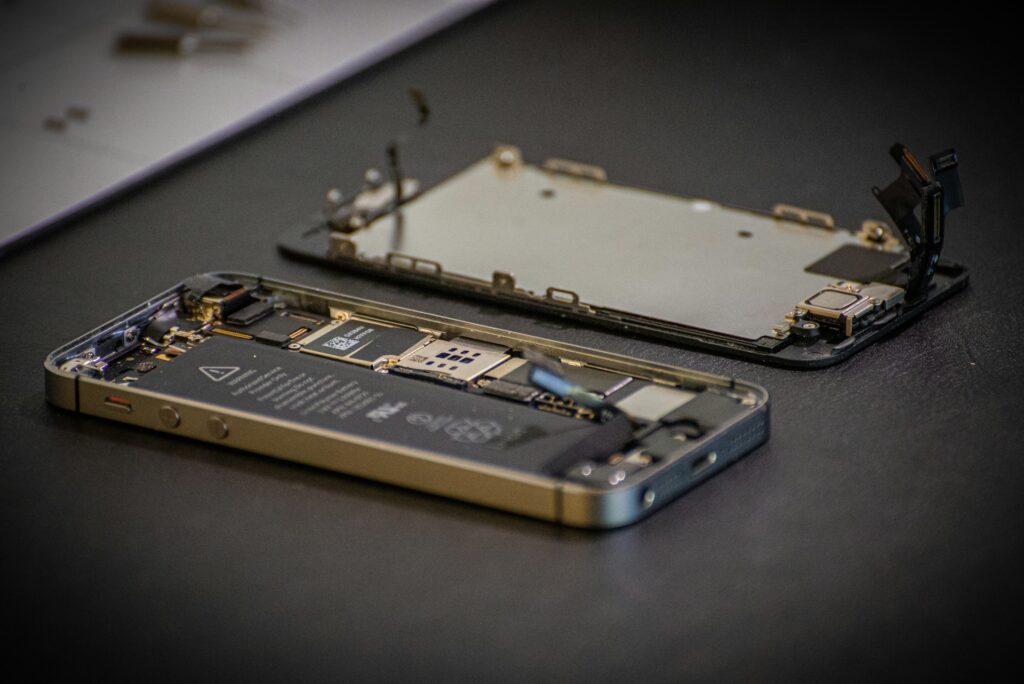
From screen and battery replacements to other mobile repairs, LYK Repair has you covered. WhatsApp us for a quick quote and expert assistance.
CATEGORIES
Yes, if you’re noticing problems. Apple designs iPhone batteries to keep 80% of their original capacity for a set number of charge cycles, so dropping below 80% means the battery has reached the end of its designed lifespan. If your iPhone shuts down unexpectedly, lags or no longer lasts the day, replace the battery now. If it’s at 78% or 79% and still behaves normally, you can wait a little, but plan the replacement soon. If you have AppleCare+, check first: Apple replaces batteries below 80% at no extra charge. Battery not the only issue? Our iPhone repair team can check everything in one visit.
Key Takeaways
- 80% is Apple’s own line. Below it, the battery is considered worn, and iOS may show “Service” in Battery Health.
- The number isn’t the only signal. Sudden shutdowns, lag and a swollen case matter more than whether you’re at 81% or 79%.
- AppleCare+ covers it. If your plan is active and capacity is below 80%, Apple replaces the battery at no extra charge.
- Out of warranty, independent repair is the most affordable route. Apple charges S$105 to S$189 for out of warranty battery service. Independent shops in Singapore start much lower.
- A swollen battery is urgent. If your screen is lifting, stop using the phone and get it checked straight away.
What does “battery health” actually measure?
When you open Settings → Battery → Battery Health, the key figure is Maximum Capacity. It compares how much charge your battery can hold today against what it held when it was new. A phone showing 85% can store 85% of the energy it originally could, so a full charge simply doesn’t last as long.
Every lithium-ion battery loses capacity as it ages. The main driver is charge cycles. One cycle is using 100% of your battery’s capacity in total, not necessarily in one go. Using 60% today and 40% tomorrow adds up to one cycle.
Heat, fast charging and keeping your phone at 100% for long periods also speed up wear. More on that below.
Why 80% is the number that matters
The 80% figure comes directly from Apple. According to Apple’s support documentation, batteries in iPhone 14 models and earlier are designed to retain 80% of their original capacity at 500 complete charge cycles, while iPhone 15 models and later retain 80% at 1,000 cycles. For every model, Apple notes that the exact percentage depends on how the phone is used and charged.
So once your iPhone drops below 80%, the battery has used up its designed lifespan. Two other things tend to happen around this point:
- iOS flags it. Battery Health may show a “Service” message or recommend a battery service.
- Performance can be affected. Older batteries struggle to deliver power at peak demand. To stop the phone shutting down unexpectedly, iOS can apply performance management, which is why an iPhone with a worn battery often feels sluggish when opening the camera or loading apps. If this has kicked in, Battery Health will say so under Peak Performance Capability.
Below 80%, the battery isn’t dangerous by itself. It’s simply less able to do its job.
Discover how we can help you achieve your goals.
How to check your iPhone’s battery health
The steps differ slightly by model.
| Your iPhone | Where to find it | What you’ll see |
|---|---|---|
| iPhone 15 and newer | Settings → Battery → Battery Health | Maximum Capacity, cycle count, manufacture date and first use date |
| iPhone 11 to iPhone 14 | Settings → Battery → Battery Health & Charging | Maximum Capacity and Peak Performance Capability |
Cycle count tells you a lot. On iPhone 15 and newer, check the cycle count next to your Maximum Capacity:
| Model group | Rated cycles to reach 80% | What’s normal |
|---|---|---|
| iPhone 11 to iPhone 14 | 500 cycles | Hitting 80% at around 500 cycles is expected wear, not a fault |
| iPhone 15, 16 and 17 | 1,000 cycles | 500 cycles is only halfway to the rated lifespan |
If your iPhone 15 or newer is below 80% with well under 1,000 cycles, it has worn faster than designed. Check whether it’s still under warranty, and think about heat and charging habits (see below).
Below 80%: should you replace it right now?
Here’s the honest breakdown we give customers at the counter:
| Your situation | Our advice |
|---|---|
| Screen or back is lifting, the case is bulging | Replace immediately. Stop using and charging the phone. This is a swollen battery |
| Below 80% and the phone shuts down at 20% or 30% | Replace now. The battery can no longer handle normal power demand |
| Below 80% with lag, or Peak Performance Capability shows performance management | Replace now. A new battery restores normal speed |
| Below 80% and you can’t get through a normal day | Replace now. Carrying a power bank everywhere isn’t a fix |
| Below 80% with AppleCare+ still active | Book with Apple first. Battery service is covered at no extra charge |
| 78% or 79%, no shutdowns, still lasts the day | You can wait, but plan a replacement within the next few months. Capacity usually keeps dropping |
| 80% to 85%, heavy user (navigation, mobile games, hotspot all day) | Consider replacing early if battery life is already affecting your day |
| Above 85% with no issues | No need yet. Check again in a few months |
The pattern is simple: the symptoms decide the urgency, and the percentage confirms it.
Signs your battery needs replacing, whatever the percentage says
Sometimes the battery health reading looks fine, but the battery isn’t. Watch for:
- The phone switches off suddenly, even with charge left
- Battery percentage jumps or drops sharply (for example, from 30% to 5% in minutes)
- The phone only works when plugged in
- It gets unusually hot during light use or while charging
- Charging takes much longer than it used to
- The screen is lifting or there’s a gap along the edge of the frame
If you see any of these, a technician can test the battery properly. A reading of 84% with sudden shutdowns still needs attention.
What happens if you don’t replace it?
Nothing dramatic happens overnight. But a worn battery gradually makes the phone worse to live with:
- Shorter battery life, which keeps shrinking as capacity drops further
- Slower performance, as iOS manages power to avoid shutdowns
- Unexpected shutdowns, often at the worst time: while paying, navigating or calling a Grab
- More heat, which wears the battery and other components faster
- Swelling risk. An ageing lithium-ion battery can swell, which can push the screen out and damage the display
Leaving it too long can turn a simple battery job into a battery plus screen repair.
Why iPhone batteries wear faster in Singapore
Heat is a battery’s worst enemy, and Singapore gives us plenty of it. In our experience at the branches, batteries in Singapore commonly wear faster because of:
- Leaving the phone in a hot car or on a car dashboard mount in direct sun
- Using GPS for hours, especially delivery riders and drivers running navigation all day
- Gaming or streaming while charging, which heats the phone from two sources at once
- Charging under a pillow or blanket, where heat can’t escape
- Wireless charging in a thick case, which traps heat
- Using the phone outdoors in direct sun, such as at the beach or an outdoor event
None of these will kill a battery overnight, but over a year or two, they add up.
Your options in Singapore
| Option | Cost | Best for |
|---|---|---|
| Apple, with AppleCare+ active and capacity below 80% | No extra charge | Phones still covered by AppleCare+ |
| Apple, out of warranty | S$105 to S$189, depending on model | People who want Apple’s own service and don’t mind the price or wait |
| Independent repair shop | From around S$25 to S$60 for a quality third-party battery, depending on model; genuine Apple batteries cost more | Out of warranty phones, faster turnaround, lower cost |
Check AppleCare+ first. Apple Singapore states that AppleCare+ covers battery replacements at no extra charge when capacity drops below 80%. If you have it, use it. To see whether your iPhone is still covered, go to Settings → General → AppleCare & Warranty.
If you’re out of warranty, an independent shop is usually faster and much cheaper. At LYK Repair, iPhone battery replacement starts from S$25, and most battery jobs are done within about an hour.
Genuine Apple battery or OEM battery: which should you choose?
You’ll usually be offered two options at an independent shop:
| Genuine Apple battery | OEM battery | |
| Source | Apple, through the Independent Repair Provider programme | Quality third-party manufacturer |
| Battery Health in Settings | Reads normally | May show a message such as “Unable to verify battery” or “Unknown Part”, and Battery Health may not display |
| Price | Higher | Lower |
| Best for | Newer iPhones you plan to keep or resell | Older iPhones, or when budget matters most |
A message about an unverified battery doesn’t mean the battery is faulty; it means iOS can’t confirm it’s an Apple part. You can see your phone’s repair record anytime under Settings → General → About → Parts and Service History.
As an Apple Independent Repair Provider, LYK offers genuine Apple batteries for eligible iPhones, as well as OEM options. We explain the difference in price and features before any work starts.
What to expect when you replace your battery at LYK
- Free check. We confirm the battery is the problem, not the charging port or software.
- Clear quote. You choose genuine or OEM, and you know the price before we start.
- Replacement. Most battery replacements take about an hour, so you can grab a kopi nearby and come back.
- Testing. We check charging, battery readings and general function before handing it back.
- Warranty. Your new battery is covered by our [warranty]. Bring it back if the same issue returns.
Your data stays on your phone during a battery replacement. A quick backup beforehand is still a good habit.
How to make your new battery last longer
- Turn on Optimised Battery Charging (or set a charging limit on iPhone 15 and newer) under Settings → Battery → Charging.
- Keep your phone out of direct sun and hot cars.
- Take off thick cases when charging if the phone feels hot.
- Avoid gaming or heavy streaming while charging.
- Use a certified charger and cable.
- Keep iOS updated, as updates often include battery and charging improvements.
Small habits make a big difference to how long your iPhone lasts. For more practical guides on charging, overheating and everyday care, browse our iPhone Help Centre.
Frequently Asked Questions
1. Should I replace my iPhone battery at 80%?
Apple considers 80% the end of a battery’s designed lifespan. If you’re at or below 80% and notice shorter battery life, lag or shutdowns, replace it. If the phone still works normally, you can wait a little, but plan for it.
2. Is 79% battery health bad?
Not dangerous, but it’s below Apple’s 80% threshold, so the battery is considered worn. If you have AppleCare+, you qualify for a free battery replacement. If not, replace it when battery life or performance starts affecting your day.
3. How long does it take for an iPhone battery to drop to 80%?
It depends on your model and habits. iPhone 11 to 14 batteries are designed to reach 80% at around 500 full charge cycles, often about two years of daily use. iPhone 15 and newer are designed for 1,000 cycles.
4. Why is my battery health dropping so fast?
Heat is the most common cause, followed by charging habits like gaming while charging or charging overnight in a hot room. A faulty battery can also degrade quickly. If your iPhone 15 or newer drops below 80% well before 1,000 cycles, check whether it’s still under warranty.
5. Will a new battery make my iPhone faster?
Often, yes. If iOS has been managing performance because of a worn battery, a new battery restores normal speed.
6. Does Apple replace batteries for free below 80%?
Only if your iPhone is covered by AppleCare+. Without it, Apple charges an out of warranty fee of S$105 to S$189 in Singapore, depending on the model.
7. What does “Service” mean in Battery Health?
It means iOS has detected the battery is significantly worn and recommends a replacement.
8. Will I lose my data when replacing the battery?
No. A battery replacement doesn’t touch your data. We still recommend backing up first, just in case.
9. Can a worn battery be dangerous?
A battery below 80% isn’t dangerous on its own. A swollen battery is. If your screen is lifting or the phone looks bloated, stop using it and have it checked straight away.
Battery health below 80% is your iPhone telling you the battery has done its job. If you’re seeing shutdowns, lag or poor battery life, replacing it is the quickest and most affordable way to make your iPhone feel new again, and far cheaper than upgrading. If you have AppleCare+, use it. If you don’t, a battery replacement takes about an hour at any LYK branch.
Not sure if your battery needs replacing? Walk in to any of our branches in Tai Seng, Jurong, Woodlands or Bugis for a free check, or WhatsApp us your model and battery health reading for a quote.

The LYK Repair team is made up of experienced mobile repair specialists providing reliable repair services in Singapore. With expertise in iPhone, Samsung, and other popular devices, the team focuses on quality workmanship and practical solutions to keep your devices working smoothly.
Still not sure what’s wrong?
Send us a photo or describe the problem on WhatsApp. A technician will tell you what it is likely to be and what it costs.