
Samsung Display Cable Repair Singapore
If your Samsung Z Fold or Z Flip screen flickers when opening, goes black at a certain fold angle, or shows uneven brightness along the bottom edge, the issue is likely the display flex cable rather than the screen itself. This page covers the display cable repair service we offer for all Samsung foldable models.




What is the LCD Display Cable and Why Does It Fail?
The LCD display cable, also known as the flex cable, is a thin ribbon cable that connects the inner display screen to the motherboard. On foldable Samsung phones, this cable bends every single time you open and close the phone.
Over time, typically after tens of thousands of folds the cable weakens, develops micro-tears, or loses its connection at the point where it bends most. This is a wear and tear issue, not user damage. It affects all Samsung foldable models eventually and is one of the most commonly misdiagnosed faults on Z Fold and Z Flip devices.
The fault is widely referred to as Flexgate in online communities, originally identified on certain MacBook Pro models and now commonly associated with foldable smartphones too.
The important distinction — it is the cable, not the screen.
Many repair shops see the flickering and immediately quote a full screen replacement. This is almost always unnecessary and significantly more expensive. The display panel itself is typically undamaged. Only the flex cable needs replacing, which is a far less costly repair. At LYK Repair we carry out a proper diagnostic to confirm the exact fault before recommending any work so you are never charged for a full screen replacement when a cable repair is all that is needed.
Signs Your Samsung Foldable Has a Display Cable Fault
These symptoms specifically indicate a flex cable fault rather than display panel damage.
- Screen flickers when opening the phone: If the display flickers or cuts out as you open your Z Fold or Z Flip, the flex cable is losing connection at a specific bend point. This is one of the clearest signs of a cable fault.
- Display goes black at a certain fold angle: If the screen works normally when fully open but goes black or blank when the phone is partially open, the cable has weakened at the mid-fold point and is losing contact during the bend.
- Stage light effect along the bottom edge: Bright patches or uneven brightness appearing along the bottom of the display, similar to stage lighting shining upward, indicate the backlight cable is affected. This is a known symptom of flex cable failure on foldable models.
- Screen works fine when fully open but flickers mid-fold: If the display works perfectly when completely open and only develops issues during the opening or closing motion, the fault is almost certainly the flex cable and not the display panel.
- Intermittent display — sometimes works, sometimes does not: A display that works normally at times and then flickers, cuts out, or goes blank at other times without any pattern points to a cable that is on the verge of full failure. Getting it repaired before complete failure prevents the fault from worsening.
- Display issues that started gradually and are getting worse: Unlike a cracked screen which shows immediate visible damage, flex cable faults develop gradually over time with increasing frequency of flickering or blackouts. If this describes your situation, the cable is the likely cause.
Samsung Foldable Display Cable Repair Service
We handle display cable repairs for all Samsung foldable models including:
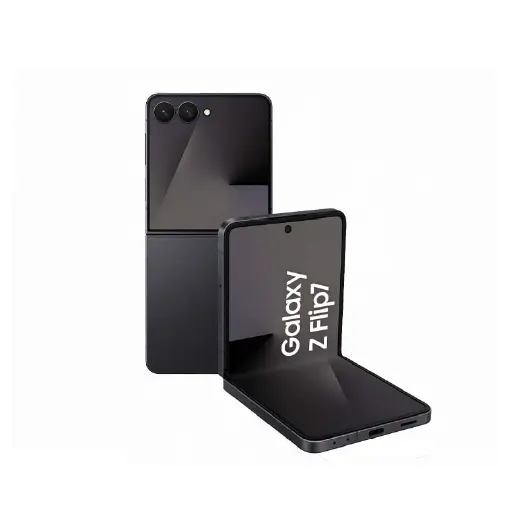
- Samsung Galaxy Z Flip 3, Z Flip 4, Z Flip 5, Z Flip 6
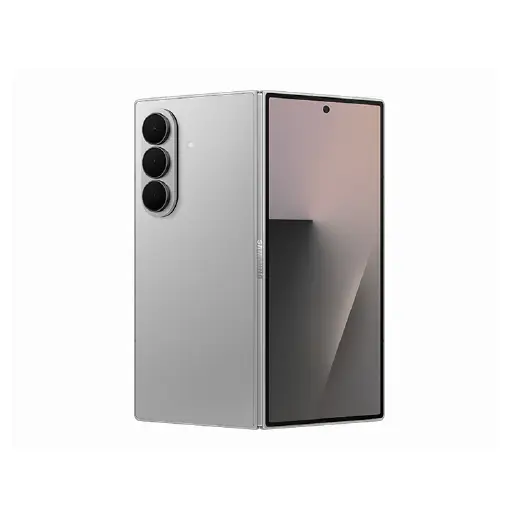
- Samsung Galaxy Z Fold 3, Z Fold 4, Z Fold 5, Z Fold 6
The repair involves carefully disassembling the foldable hinge mechanism, replacing the damaged flex cable with a quality replacement, and reassembling the device. It is a more precise repair than a standard screen replacement due to the complexity of the foldable hinge, but it is significantly more affordable since the display panel itself does not need replacing.
After the repair we test the display through the full range of fold angles to confirm the connection is stable and the flickering has been resolved before handing the device back.
Most display cable repairs are completed within 60 to 90 minutes. We will give you a clear timeline after the free diagnostic. For a full overview of all Samsung repairs we handle, visit our Samsung repair page.
Why Choose LYK Repair for Samsung Display Cable Repair?
- Correct Diagnosis — Cable Not Screen: Many shops misdiagnose flex cable faults as screen damage and quote full screen replacement price. We carry out a proper diagnostic first and only replace what actually needs replacing. A cable repair costs significantly less than a full display replacement.
- Foldable Repair Experience: Foldable phones require different handling from standard smartphones. Our technicians have experience working on Samsung Z Fold and Z Flip models across all generations.
- All Z Fold and Z Flip Models Covered: We carry flex cables for all Samsung foldable models from Z Flip 3 through to the latest releases. WhatsApp us to confirm availability for your specific model before coming in.
- Free Diagnosis Before Any Work Starts: We confirm the fault is the flex cable and not the display panel before recommending any repair. No pressure and no charges if you decide not to proceed.
- Transparent Pricing: We give you a clear quote before any work begins. WhatsApp us your Samsung foldable model for a quote before coming in.
- 100-Day Warranty: Every display cable repair is backed by a 100-day warranty. If the flickering or display issue recurs within that period, we will address it at no extra cost.
- Islandwide Doorstep Service: Prefer not to travel? We offer islandwide doorstep repair service for a flat fee of $25. A technician will come to your home or office.
- Multiple Branches Across Singapore: We have branches in Jurong, Tai Seng, Woodlands, and Bugis. Walk in anytime or WhatsApp ahead to check parts availability for your Samsung foldable model.
How Samsung Display Cable Repair Works at LYK Repair
- Contact Us: WhatsApp, call, or walk into any of our branches. Tell us your Samsung foldable model and describe the display symptoms you are experiencing.
- Free Diagnostic and Quote: We assess the display through the full fold range and confirm whether the fault is the flex cable or the display panel. We give you a clear upfront quote before any work begins. No obligations.
- Display Cable Replacement: Our technicians replace the flex cable using a quality replacement matched to your specific model. Most jobs are completed within 60 to 90 minutes.
- Testing and Handover: We test the display through the full range of fold angles, check for flickering, and verify the connection is stable before handing your Samsung back. Your device leaves with a 100-day warranty on the cable repair.
Frequently Asked Questions
1. How long does Samsung display cable repair take in Singapore?
Most Samsung foldable display cable repairs are completed within 60 to 90 minutes depending on the model. We will give you a clear timeline after the free diagnostic before any work begins.
2. How much does Samsung display cable repair cost in Singapore?
Display cable repair is significantly more affordable than a full screen replacement since only the cable needs replacing, not the display panel. WhatsApp us with your Samsung foldable model and we will send you an exact quote before you come in.
3. What is the difference between a display cable fault and a screen fault on Samsung foldables?
A display cable fault causes flickering, blackouts at certain fold angles, or stage light effects — the display panel itself is undamaged. A screen fault involves physical damage to the display panel itself showing dead pixels, black patches, or coloured lines. A free diagnostic will confirm which fault you have before any work begins.
4. What is Flexgate on Samsung foldable phones?
Flexgate refers to a fault where the flex cable connecting the display to the motherboard weakens over time due to repeated bending. It is a wear and tear issue that affects foldable phones after extended use and manifests as screen flickering, blackouts at certain angles, or the stage light effect along the bottom edge of the display.
5. Is a display cable fault covered under Samsung warranty?
It depends on when the fault develops. If your Samsung foldable is still under warranty, check with Samsung Singapore first. If the device is out of warranty or Samsung declines the claim, we offer the same quality repair at a fraction of the cost compared to Samsung authorised service centres.
6. Can the display cable fault get worse if left unrepaired?
Yes. What starts as occasional flickering typically progresses to more frequent display cutouts and eventually complete display failure if left unrepaired. Getting it fixed early while the display panel is still intact is significantly more cost-effective than waiting until a full display replacement becomes necessary.
7. Do you repair display cable faults on all Samsung Z Fold and Z Flip models?
Yes. We handle display cable repairs for Samsung Galaxy Z Flip 3, Z Flip 4, Z Flip 5, Z Flip 6, Z Fold 3, Z Fold 4, Z Fold 5, and Z Fold 6. WhatsApp us with your model to confirm parts availability before coming in.
8. Will my data be safe during a Samsung display cable repair?
Yes. Display cable repair does not require any access to your data or a factory reset. Your files, contacts, photos, and settings remain untouched throughout the repair process.
9. How do I know if I need a display cable repair or a full LCD replacement?
If your display flickers or cuts out specifically during the opening or closing motion of the phone, the fault is almost certainly the flex cable. If the display shows dead pixels, black patches, or coloured lines regardless of the fold position, an LCD replacement may be needed. A free diagnostic at any of our branches will confirm the exact fault before any work begins.
10. Do you offer a warranty on Samsung display cable repairs?
Yes. All Samsung display cable repairs at LYK Repair come with a 100-day warranty. If the flickering or display issue recurs within that period, we will address it at no extra cost.
Explore More Samsung Repair Services
Samsung Battery Replacement | Samsung Screen Repair | Samsung LCD Replacement | Samsung Back Glass Replacement | Samsung Charging Port Repair | Samsung Motherboard Repair | Samsung Water Damage Repair | Samsung WiFi Bluetooth Repair | Samsung Power Volume Button Repair | Samsung Camera Removal Service | Samsung Camera Repair | Samsung Speaker Repair
Our Locations
Visit any of our 4 branches across Singapore — walk-ins are welcome
- Name : LYK Mobile Repair In Jurong East
- Address : 2 Venture Dr, #02-15 Vision Exchange, Singapore 608526
- Direction : Find us on Google Maps
-
Operating Hours:
Monday to Sunday : 11:00 AM - 9 PM
- Name : LYK Mobile Repair In Tai Seng
- Address : 1 Irving Place, The Commerze@irving #06-07 Singapore 369546
- Direction : Find us on Google Maps
-
Operating Hours :
Monday to Sunday : 11:00 AM - 9 PM
- Name : LYK Mobile Repair In Woodlands
- Address: 12 Woodlands Square , Woods Square Tower 1 #12-65 Singapore 737715
- Direction : Find us on Google Maps
-
Operating Hours:
Monday to Sunday : 11:00 AM - 9 PM
- Name : LYK Mobile Repair In Bugis
- Address : 470 North Bridge Rd, Bugis Cube #02-06, Singapore 188735
- Direction : Find us on Google Maps
-
Operating Hours:
Monday to Sunday : 11:00 AM - 9 PM