OS Reinstallation
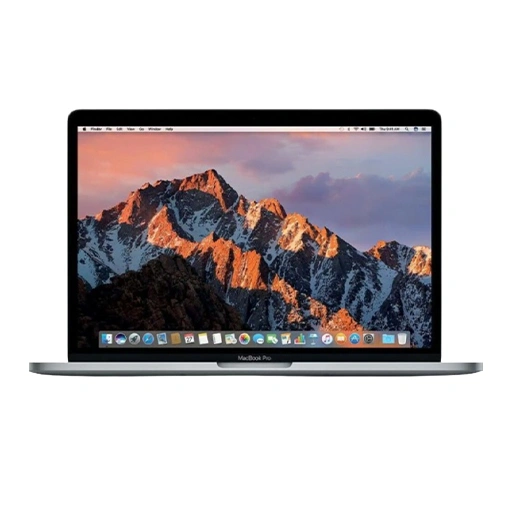
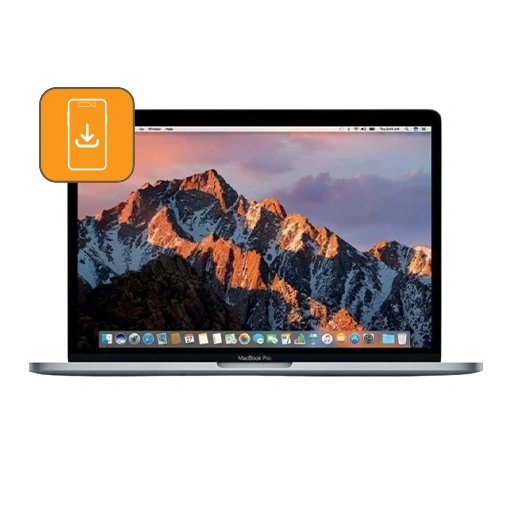
At LYK Repair, we provide fast and reliable OS reinstallation services for your MacBook Pro (13-inch 2016-2017) Touch Bar A1706 in Singapore. If your MacBook is running slowly, experiencing software errors, or you want to start fresh with a clean macOS installation, our experienced technicians can help quickly restore your system.
We begin with a free consultation to understand your needs and back up your data if necessary. Our service includes thorough OS installation and setup, ensuring your MacBook runs optimally. We prioritise minimising downtime and provide clear communication throughout the process.
Most OS reinstallation are completed on-site within 1 to 2 hours. You can trust LYK Repair for professional service, transparent pricing, and support backed by our 100-day in-house warranty.
$60.00
What Our Clients Say
Revive Your Device, Renew Your Connection
Door Step Repair Services Available
For just as low as $25
Deployed To Any Location Islandwide
You call us and we'll be there at your service
Available All Day
From 11am to 9pm daily
First-Come First-Served Basis
Connect with us and we will be happy to schedule our technician to you
Call Us Today!
Call / WhatsApp
+65 9025 2185
Our Locations
- 2 Venture Dr, #02-15 Vision Exchange, Singapore 608526
- Direction : Find me on Google Maps
-
Operating Hours:
Monday to Sunday : 11:00 AM - 9 PM
- 1 Irving Place, The Commerze@irving #06-07 Singapore 369546
- Direction : Find me on Google Maps
-
Operating Hours:
Monday to Sunday : 11:00 AM - 9 PM
- 12 Woodlands Square , Woods Square Tower 1 #12-65 Singapore 737715
- Direction : Find me on Google Maps
-
Operating Hours:
Monday to Sunday : 11:00 AM - 9 PM
- 470 North Bridge Rd, Bugis Cube #02-06, Singapore 188735
- Direction : Find me on Google Maps
-
Operating Hours:
Monday to Sunday : 11:00 AM - 9 PM
MacBook Pro (13-inch 2016-2017) Touch Bar A1706 OS Reinstallation
Signs that you need a macOS reinstallation
Some common signs that your MacBook Pro may require an OS reinstallation include:
-
The Mac won’t boot up properly or gets stuck on the Apple logo or loading screen during startup.
-
The system experiences significant lag, slow responsiveness, or frequent app crashes.
-
Your Mac encounters kernel panics (unexpected system crashes) or freezes frequently.
-
The internal fan runs at high speed consistently due to system stress or overheating caused by software issues.
These symptoms often point to corrupted system files, software conflicts, or deeper OS-level problems that a reinstallation can resolve. If you experience any of these issues, bringing your MacBook Pro to LYK Repair for a diagnostic and professional OS reinstallation service can help restore optimal performance and stability.
How Our MacBook Pro (13-inch 2016-2017) Touch Bar A1706 OS Reinstallation Service Works
-
Free Consultation
Bring your MacBook Pro to LYK Repair, either by appointment or as a walk-in. Our technicians will discuss your concerns to understand why you need an OS reinstallation, whether due to slowness, persistent errors, boot issues, or to start fresh. -
Data Backup Assistance (If Needed)
If you request it, we can help back up your important files before proceeding. Otherwise, we’ll guide you on backup best practices. -
Clear Process Explanation and Quotation
We explain the steps involved and provide an upfront, no-obligation quote for the service. No work begins until you’re comfortable with the process and pricing. -
Professional OS Reinstallation
Our team reinstalls the latest compatible version of macOS, ensuring your MacBook is set up correctly and ready for use. We handle all necessary settings, driver, and activation steps, and can help you reconnect your Apple ID and essential services. -
Quick On-Site Turnaround
Most OS reinstallations are completed on-site within 1 to 2 hours, so you can get back to work or play as soon as possible. -
Post-Service Testing and Guidance
Once completed, we make sure your MacBook boots up smoothly and functions as expected. We provide guidance on restoring your files (if applicable), signing into iCloud, and personalising your settings.
Frequently Asked Questions
Do I need to provide my Apple ID or password?
Yes, after OS reinstallation, you may need to enter your Apple ID and password to reactivate your MacBook and regain access to services like the App Store or iCloud. Apple has strict security policies, including Activation Lock, which means only the device owner can unlock the Mac after a system reset or reinstall. Our team will guide you through the process, but for your privacy, we do not handle or store your Apple ID credentials.
What if reinstallation doesn’t work or my Mac won’t start?
Issues like startup failures, disk errors, or installation interruptions sometimes require extra troubleshooting. Our technicians can perform advanced repairs, run diagnostics, or recommend hardware solutions if the OS reinstallation alone doesn’t resolve the problem.
How long will a macOS Reinstall take?
Most macOS reinstallation services for the MacBook Pro (13-inch 2016-2017) Touch Bar A1706 are completed on-site within 1 to 2 hours.
This timeframe covers the full process from diagnostics, backup assistance if needed, the actual OS installation, and post-installation testing to ensure everything runs smoothly.
Please note that the exact duration may vary depending on factors such as your Mac’s condition, internet speed (if reinstalling via macOS Recovery), and whether additional repairs or troubleshooting are required.
Will I lose my data during macOS Reinstallation?
In most cases, data will be lost when reinstalling macOS.
Reinstalling macOS using the standard recovery method typically does not erase your personal files, apps, or settings. This process refreshes the system files while keeping your data intact.
However, it is essential to back up your important files beforehand because data loss can occur if the disk is accidentally erased, if there are installation errors, disk corruption, or other complications during the process.
At LYK Repair, we strongly recommend and can assist you with backing up your data before the OS reinstallation to ensure your files are fully protected.