When Should You Change Your Phone Battery? 5 Signs It’s Time for a Huawei Battery Replacement
- | Blog
From screen and battery replacements to other mobile repairs, LYK Repair has you covered. WhatsApp us for a quick quote and expert assistance.
CATEGORIES
Quick Summary
- Common signs such as fast battery drain, random shutdowns, overheating, swelling, and charging problems can indicate that it is time for a Huawei battery replacement.
- Before choosing a Huawei battery replacement in Singapore, it is important to confirm whether the issue is truly the battery or another fault such as the charging port or motherboard.
- Choosing a reliable Huawei battery replacement service in Singapore means looking for proper diagnostics, transparent pricing, warranty support and experienced repair specialists.
If your phone struggles to last through the day, it may be time to consider a Huawei battery replacement. Replacing your battery at the right time can help restore your device’s performance and extend its lifespan.
Read on to explore the 5 key signs your Huawei needs a battery change, why your battery may be deteriorating, and how to choose the best repair provider for your Huawei battery replacement in Singapore.
5 Clear Signs You Need a Huawei Battery Replacement
Huawei smartphones use lithium-ion batteries, which gradually lose capacity over time. Your phone may begin showing several warning signs as the battery deteriorates.
Here are five common symptoms that often indicate it’s time for a Huawei battery replacement:
-
Your Huawei Phone Battery Drains Much Faster Than Before
One of the earliest signs that you may need a Huawei battery replacement is noticeably faster battery drain.
For example, a phone that previously lasted a full day might now need charging by mid-afternoon. Even light usage such as messaging or web browsing may cause the battery percentage to drop rapidly.
Lithium-ion batteries lose their ability to hold charge as they age. According to Huawei support resources, this gradual capacity reduction is normal after hundreds of charge cycles. Over time, the phone simply cannot store as much power as it did when new.
If your Huawei device struggles to last more than a few hours without charging, it may be worth considering a Huawei battery change.
-
Your Huawei Phone Randomly Shuts Down Despite Having Battery Percentage Left
Another strong indicator that a Huawei battery change may be required is unexpected shutdowns.
Some Huawei users may experience their phones shutting down even when battery levels are at 20-30%. In some severe cases, the device may also turn off unexpectedly while taking calls or opening apps.
This is a common occurrence when the battery is no longer able to deliver stable voltage to the phone. Despite the display showing some levels of remaining battery percentage the internal battery cells may not have enough capacity to power the phone normally.
If restarting your phone or updating the software does not fix the issue, a Huawei battery replacement may be the most effective solution.
-
Your Huawei Phone Overheats During Normal Use or Charging
It is perfectly normal for phones to feel slightly warm during power-intensive activities like gaming or video recording. But if your Huawei device regularly overheats during ordinary use or while charging, this may indicate battery wear.
An ageing or damaged battery may overheat because it cannot manage power properly. This can not only be dangerous, but also affect your phone’s performance and cause the battery to wear out faster.
Singapore’s hot weather can make this worse, as lithium-ion batteries are more likely to struggle in high temperatures.
If your phone overheats often, a Huawei battery replacement may help make it safer and more reliable.
-
Your Huawei Battery Is Swollen or the Phone Back Cover Starts Lifting
A swollen battery is a serious physical sign that a Huawei battery replacement is urgently needed.
You may notice the back cover of your phone lifting slightly or the screen separating from the frame. In some cases, the phone may no longer sit flat on a table.
Battery swelling occurs when internal chemical reactions produce gas inside the battery pack. According to the Singapore Consumer Product Safety Office, damaged lithium-ion batteries should be handled carefully because they may pose safety risks.
If you suspect your Huawei battery is swollen, stop using the device and seek professional repair assistance immediately. Attempting to continue using the phone could be a safety hazard and increase the risk of further damage.
-
Charging Problems: Slow Charging or Inconsistent Battery Percentage
Charging issues can also signal that it is time for a Huawei battery change.
Common symptoms include:
- Very slow charging
- Battery percentage jumping unexpectedly
- The phone only charging when positioned in a certain way
- The battery indicator dropping suddenly after reaching high percentages
While some charging issues are caused by cables or charging ports, inconsistent battery behaviour can often point to declining battery health.
When these symptoms persist after trying different chargers, a Huawei battery replacement may be the next step.
Discover how we can help you achieve your goals.
| Symptom | What it may mean | Severity level | Next steps |
| Battery drains quickly | Battery capacity may have dropped | Moderate | Monitor usage and consider diagnostics |
| Random shutdowns | Battery may no longer deliver stable power | High | Book a battery check |
| Overheating | Battery may be deteriorating | High | Stop heavy use and get it inspected |
| Swollen battery / lifting back cover | Possible battery damage | Very high | Stop using the phone and seek repair immediately |
| Slow charging / inconsistent battery percentage | Battery or charging-related issue | Moderate to high | Test charger, then get diagnostics |
A single symptom may not always confirm that a Huawei battery replacement is needed, but when two or more of these problems happen together, there is a stronger chance that the battery is the cause.
Huawei Battery Replacement or Something Else? How to Identify the Real Issue
Although these symptoms are common signs of a failing battery, they can also be caused by other hardware faults.
Before going ahead with a Huawei battery replacement, it is important to confirm that the battery is the actual cause.
Identifying a Huawei Battery Problem, Charging Port Issue, or Motherboard Fault
Several different components can affect power performance in a Huawei smartphone.
- Battery failure typically causes rapid drain, shutdowns or overheating.
- Charging port damage may prevent the phone from charging consistently or cause the cable to feel loose.
- Motherboard faults can produce more complex issues, such as phones not powering on at all or erratic charging behaviour even with a healthy battery.
Because these issues can appear similar, a professional technician may need to examine the phone before recommending a Huawei battery replacement.
Why Proper Diagnostics Are Important Before You Change a Huawei Battery
A reliable repair centre will typically perform a full inspection before carrying out a Huawei battery change. This may include checking battery health, inspecting charging ports, and testing system power management.
This step helps confirm whether a Huawei battery replacement procedure is actually required or whether another repair may be more appropriate.
This is especially important for cost-conscious users who want to compare options carefully. Paying for the wrong repair wastes both time and money, so proper diagnostics should always be part of a trustworthy service process.
Why Huawei Phone Batteries Wear Out Over Time
Understanding why batteries degrade can help explain why Huawei battery replacement eventually becomes necessary.
How Lithium-Ion Batteries Degrade and Affect Huawei Battery Performance
Most modern smartphones use lithium-ion batteries because they are lightweight and capable of storing significant energy.
However, these batteries naturally degrade over time. Each charge cycle slightly reduces the battery’s maximum capacity.
According to Huawei support documentation, repeated charging and discharging gradually causes internal chemical wear, reducing overall performance.
As the battery ages, users may experience:
- Shorter battery life
- Slower charging
- Reduced power stability
Eventually, replacing the battery becomes the most practical solution.
How Charging Habits, Heat, and Daily Usage in Singapore Impact Huawei Battery Lifespan
Daily habits and environmental factors can also influence battery lifespan. Frequent charging, heavy gaming, and prolonged screen usage all contribute to battery wear.
Heat is another major factor. Singapore’s warm climate means devices are often exposed to higher temperatures, especially when used outdoors or left inside cars.
To protect battery health, avoid charging your phones to 100% too often. According to Android Authority, your phone should be between 30-80% charged to maximise the battery’s lifespan.
It is also important to keep the device away from excessive heat, as high temperatures can speed up battery wear.
Despite best efforts, however, most smartphone batteries eventually require a Huawei battery replacement after several years of regular use.
What Happens During a Huawei Battery Replacement in Singapore
If you’re considering a Huawei battery change in Singapore, here’s what the repair process involves.
The Huawei Battery Replacement Process
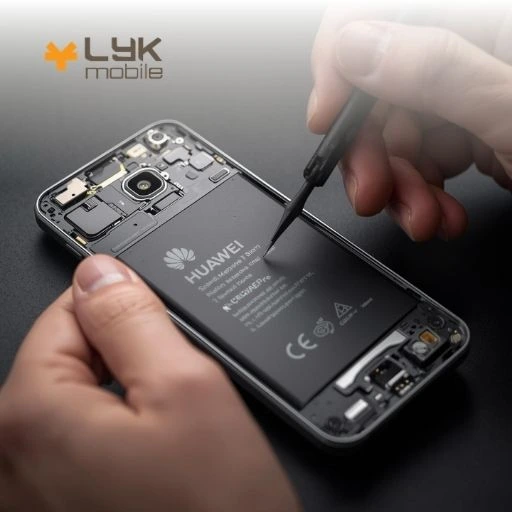
A typical Huawei battery replacement procedure usually follows these steps:
- Initial diagnostic assessment to confirm battery health.
- Opening the device carefully to access internal components.
- Removing the worn battery while protecting nearby parts.
- Installing a new battery compatible with the device model.
- Testing charging performance and stability.
Once the replacement is complete, technicians usually run several tests to ensure the phone operates normally.
How Long a Huawei Battery Replacement Takes and What Happens to Your Data
Most Huawei battery replacements in Singapore can be completed relatively quickly, depending on the phone model.
In many cases, the process may take between 30 minutes and a few hours. Some repair centres also allow customers to wait on-site during the service. Others may also provide door-to-door replacements, like LYK Repair’s doorstep services.
More importantly, replacing the battery does not normally affect personal data. Your photos, contacts, and apps typically remain intact.
However, it is always wise to back up your device before any repair for added peace of mind.
How to Choose a Reliable Huawei Battery Replacement Service in Singapore
When comparing repair providers for Huawei battery replacements, it is important to choose a service centre that prioritises quality and transparency.
A reliable provider can ensure your Huawei battery replacement in Singapore is completed safely and professionally.
Choosing a Trusted Huawei Battery Replacement Repair Centre
If you’re researching options for a Huawei battery replacement service in Singapore, choosing a repair provider with experienced technicians can make a significant difference.
Specialist repair providers understand the internal design of Huawei phones and can perform battery replacement procedures with proper tools and safety protocols.
What to Look for in a Trusted Huawei Battery Replacement Repair Centre in Singapore: Why Many Users Consider LYK Repair
Before booking a Huawei battery change, consider the following factors:
- Transparent pricing
Reputable repair centres provide clear information about repair costs, such as LYK Repair’s pricing policies. - Warranty coverage
A repair warranty gives customers peace of mind, provides added protection if issues arise, and shows the provider’s commitment to reliable service. - Positive customer reviews
Reading customer feedback can provide insight into service quality and reliability. - Experienced technicians
Technicians familiar with Huawei devices are better equipped to diagnose and repair issues accurately.
Frequently Asked Questions
How do I know when I need a Huawei battery replacement?
Common signs include rapid battery drain, unexpected shutdowns, overheating, and charging issues. If these problems persist, a Huawei battery replacement may be necessary.
What are the most common signs of a failing Huawei phone battery?
Typical symptoms include shorter battery life, random power loss, and inconsistent charging behaviour.
How much does Huawei battery replacement cost in Singapore?
Costs vary depending on the device model. Independent repair providers may offer alternative pricing depending on battery type and labour costs. You may find spare part price information for many models on the official Huawei support website.
Does Huawei battery replacement pricing vary by model?
Yes. Larger batteries and newer models typically cost more to replace.
How long does a Huawei battery replacement usually take?
Many Huawei battery replacements in Singapore can be completed within an hour, although complex models may take longer.
Will I lose my data during a Huawei battery replacement?
In most cases, no. Battery replacement does not normally affect stored data.
Is it safe to keep using a Huawei phone with a swollen battery?
No. A swollen battery should be replaced immediately for safety reasons.
How can I tell whether the issue is the battery, charging port or motherboard?
A professional diagnostic check can help identify the exact cause of the problem before performing a Huawei battery change.
How do I choose a reliable Huawei battery replacement service in Singapore?
Look for repair centres with transparent pricing, experienced technicians, warranty coverage, and positive customer reviews.
What can I do after a Huawei battery replacement to maintain battery health for longer?
Avoid excessive heat, use reliable chargers, and keep the battery between roughly 30% and 80% where possible.
Choosing the Right Repair Service for Your Huawei Battery Replacement
If your phone is showing clear signs of battery wear, arranging a Huawei battery replacement can restore performance and extend the life of your device. With the proper battery care habits and the right repair provider, your Huawei phone can continue serving you reliably for years to come.
Get in touch with us at LYK Repair and have your Huawei battery replaced with confidence.

The LYK Repair team is made up of experienced mobile repair specialists providing reliable repair services in Singapore. With expertise in iPhone, Samsung, and other popular devices, the team focuses on quality workmanship and practical solutions to keep your devices working smoothly.
Still not sure what’s wrong?
Send us a photo or describe the problem on WhatsApp. A technician will tell you what it is likely to be and what it costs.