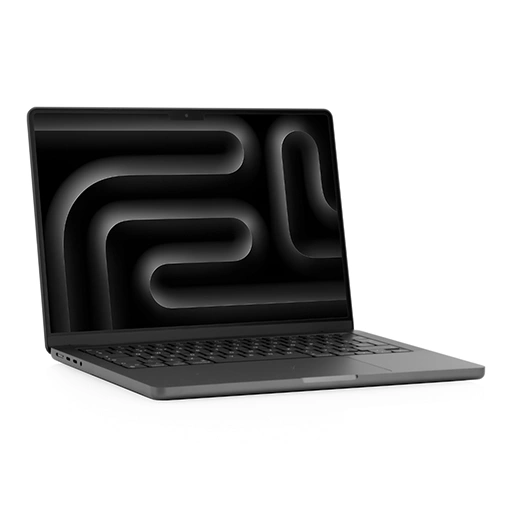
Keyboard Replacement
At LYK Repair, we specialise in keyboard replacements for the MacBook Pro 13-inch (2023) model A2159 in Singapore. If your keyboard has unresponsive, sticky, or broken keys, our experienced technicians can efficiently replace it to restore smooth typing.
Most keyboard replacements are completed on-site, so you can get back to work without unnecessary delay. We handle every repair with care to protect your data and start each service with a free diagnostic to accurately assess your keyboard’s condition. There is no obligation to proceed unless you are happy with the quote.
Trust LYK Repair for prompt and reliable keyboard service that helps keep your MacBook working perfectly.
$208.00
What Our Clients Say
Revive Your Device, Renew Your Connection
Door Step Repair Services Available
For just as low as $25
Deployed To Any Location Islandwide
You call us and we'll be there at your service
Available All Day
From 11am to 9pm daily
First-Come First-Served Basis
Connect with us and we will be happy to schedule our technician to you
Call Us Today!
Call / WhatsApp
+65 9025 2185
Our Locations
- 2 Venture Dr, #02-15 Vision Exchange, Singapore 608526
- Direction : Find me on Google Maps
-
Operating Hours:
Monday to Sunday : 11:00 AM - 9 PM
- 1 Irving Place, The Commerze@irving #06-07 Singapore 369546
- Direction : Find me on Google Maps
-
Operating Hours:
Monday to Sunday : 11:00 AM - 9 PM
- 12 Woodlands Square , Woods Square Tower 1 #12-65 Singapore 737715
- Direction : Find me on Google Maps
-
Operating Hours:
Monday to Sunday : 11:00 AM - 9 PM
- 470 North Bridge Rd, Bugis Cube #02-06, Singapore 188735
- Direction : Find me on Google Maps
-
Operating Hours:
Monday to Sunday : 11:00 AM - 9 PM
MacBook Pro (13-inch 2019) Touch Bar A2159 Keyboard Replacement
Signs Your MacBook Pro 13-inch (2023) A2159 Keyboard Needs Replacement
Keeping your keyboard in top condition is essential for efficient work and study. Look out for these common symptoms that signal it’s time for a replacement:
-
Sticky, unresponsive, or repeating keys: Keys that don’t register or input multiple times make typing frustrating.
-
Physical damage:Â Broken, missing, or loose keys after impacts, drops, or spills.
-
Backlight not working:Â Inconsistent or failed keyboard lighting affects low-light use.
-
Keys inputting wrong characters:Â Typing errors or unexpected functions suggest internal faults.
-
Liquid damage symptoms:Â After spill incidents, some or all keys may stop responding correctly.
If you notice these issues, book a free diagnostic with us. Addressing keyboard problems early prevents further complications and improves your user experience.

How our MacBook Pro 13-inch (2023) A2159 Keyboard Replacement Service Works?
Service Process (How It Works)
-
Contact us or walk in:Â Book online, call, or drop by for a free diagnostic.
-
Accurate assessment:Â Our team checks your keyboard and explains any issues found.
-
Transparent quote: You’ll always receive a clear, no-obligation quote before repairs begin.
-
Professional replacement:Â Most keyboard replacements are completed on-site within a few hours.
-
Quality check & warranty:Â Your device is carefully tested, and you enjoy a 100-day in-house warranty for added assurance.
Frequently Asked Questions
How do I find my MacBook model number?
Go to the Apple menu > About This Mac, or look underneath your MacBook for the model identifier
What are the most common MacBook Pro keyboard problems?
Common problems for MacBook Pro keyboards include sticky or unresponsive keys, keys that repeat or type incorrect characters, backlight failures or inconsistencies, and keys that feel stiff or produce unusual noises. These issues can be caused by dust, liquid spills, software glitches, or hardware faults.
At LYK Repair, our free diagnostic service will determine the cause and advise you if a keyboard replacement is necessary.
For more details, see Common problems for MacBook Pro keyboard.
Is it possible to replace just one or two keys, or does the entire keyboard need to be replaced?
For most recent MacBook Pro models, including the 13-inch (2023) A2159, individual keycaps (the plastic tops of the keys) can be replaced if they are missing or physically damaged, provided the underlying mechanism (such as the scissor switch) is still intact and functioning properly.
However, if the problem lies with the keyboard’s internal mechanism or switches, a full keyboard replacement is usually necessary to ensure a reliable and lasting repair.
Will replacing my MacBook battery delete my data?
No, replacing your MacBook battery will not erase any data because it does not involve the internal storage. However, we always recommend backing up your data before any repair as a precaution.
Will my keyboard replacement be covered under any warranty?
Yes, all keyboard replacements for the MacBook Pro 13-inch (2023) A2159 at LYK Repair include a 100-day in-house warranty for your peace of mind.
How long does a keyboard replacement for my MacBook Pro A2159 take?
Typically, keyboard replacements take about 1 to 2 hours. After conducting a free diagnostic, we will provide you with an accurate estimated repair time before proceeding.